Application overview
APIJockey TEST is made of three main components:
- Navigation View, a navigation view can be hidden or shown as with many MacOS applications
- Content View, a secondary navigation view specific to the current Navigation View selection
- Details View, contains typically editors
- Toolbar
It supports four processes:
- Test definition (create and run tests)
- Test execution (review reports and preview test execution runs)
- Service definition (loads and configures Service definitions for test)
- Run environment configuration
We will quickly walk through each of the compoents and discuss main parts:
Test definition
The Test definition view is the primary workplace. You define your tests and run them. The screenshot below shows the main parts of this view after first launch, with no tests defined.
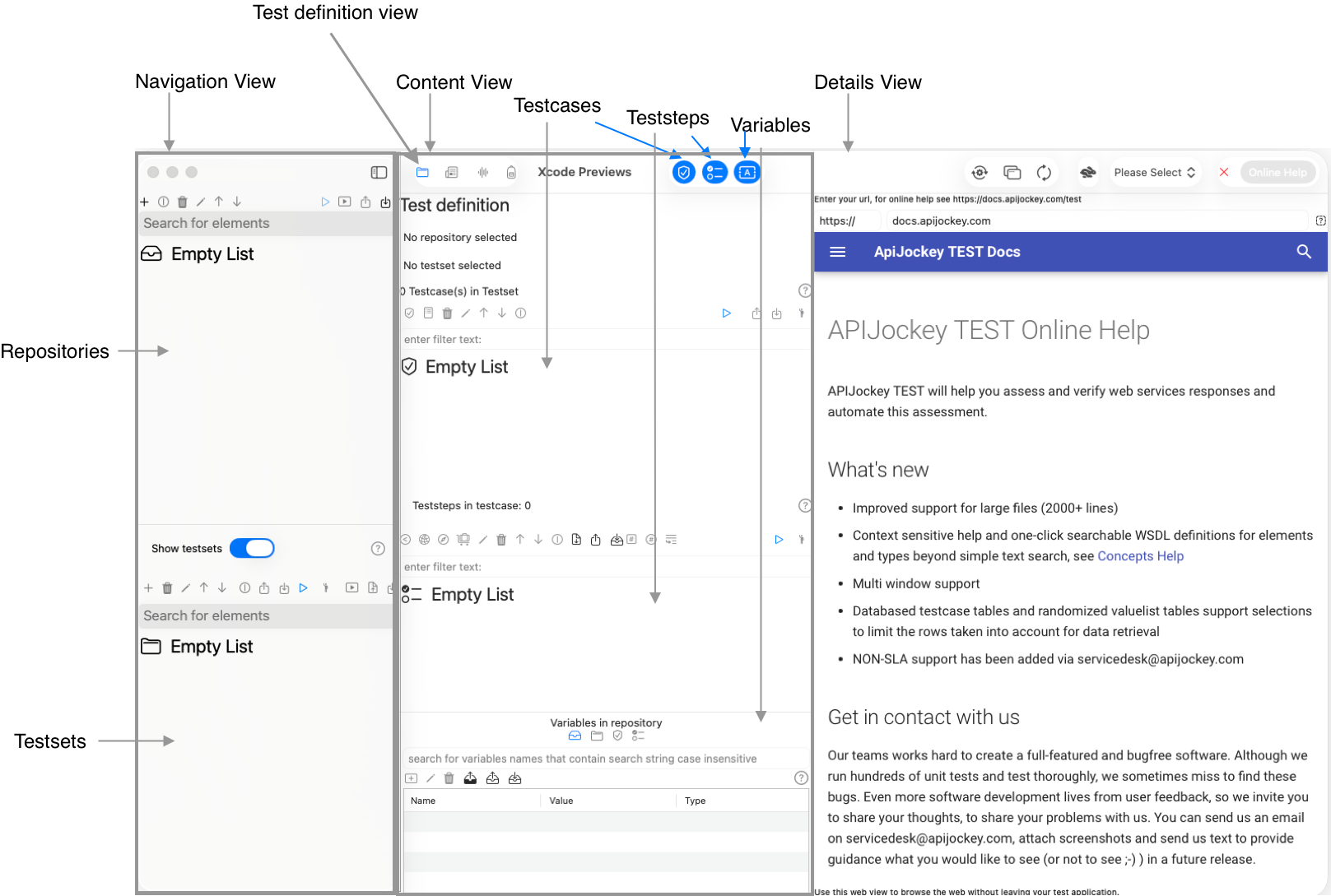
The test definition has these hierarchical elements - Repositories that holds Testsets (Navigation View) - Testcases and Teststeps (Content View) - Variables on each of these four elements (Content View) - A Details view that displays the online help on docs.apijockey.com, when no Teststeps are selected.
- You can hide and show Testsets, Testcases, Teststeps and Variables to increase the available size for a specific view
Testexecution
The Testexecution view contains persisted test runs. The hierarchical elements follow the structure of your test definition:
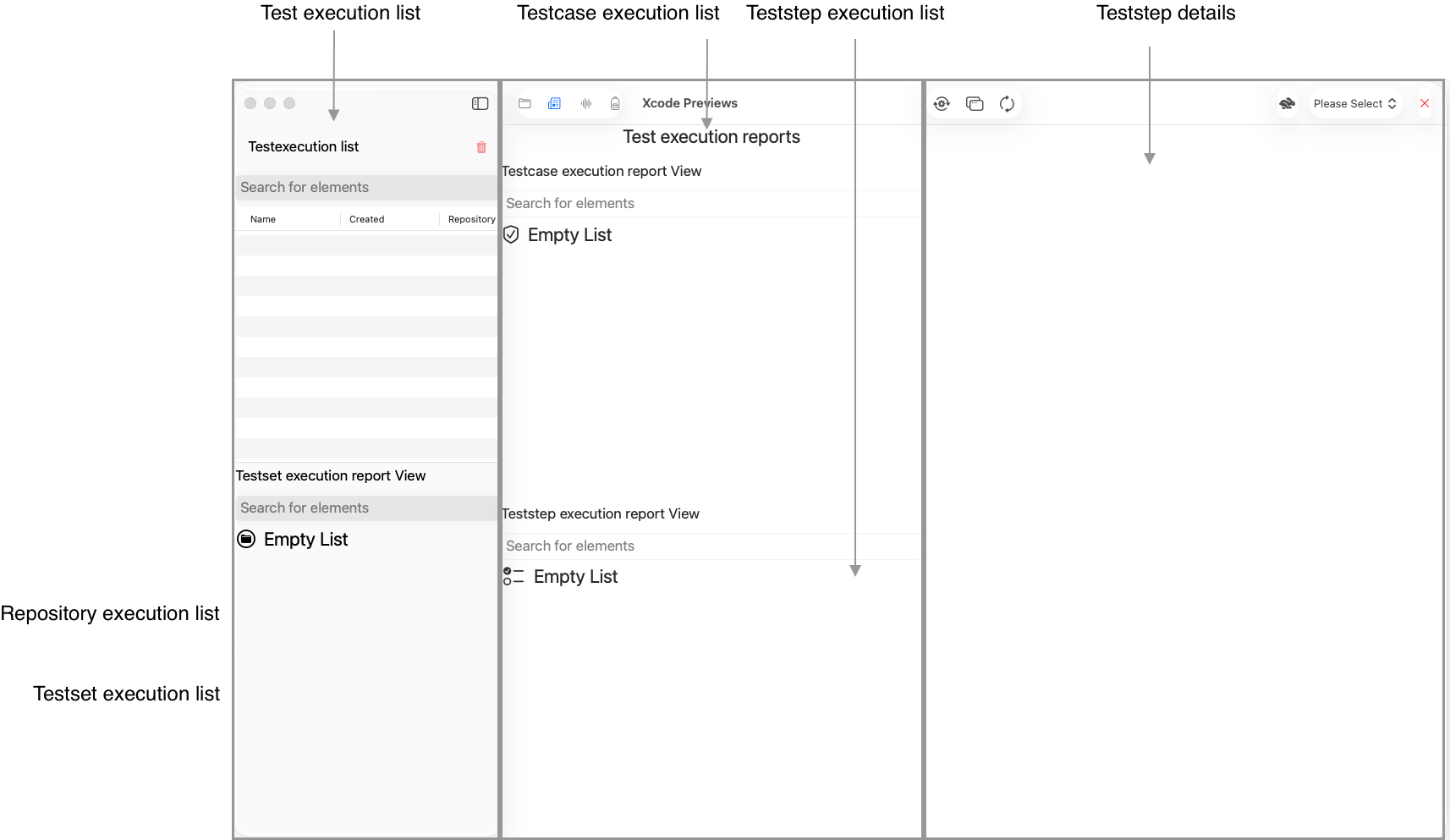
- Repository executions, If your test execution was started for a list of repositories
- Testset exeuctions, if you alternatively started the test execution for a list of testsets
- Testcase executions display the corresponding Testcase information of the test run
- Teststep executions contain the Teststep information of the test run
- Teststep details holds teststep specific information of the test run
Service definition view
The Service definition view holds WSDL data or serves as a placeholder for HTTP/Rest services
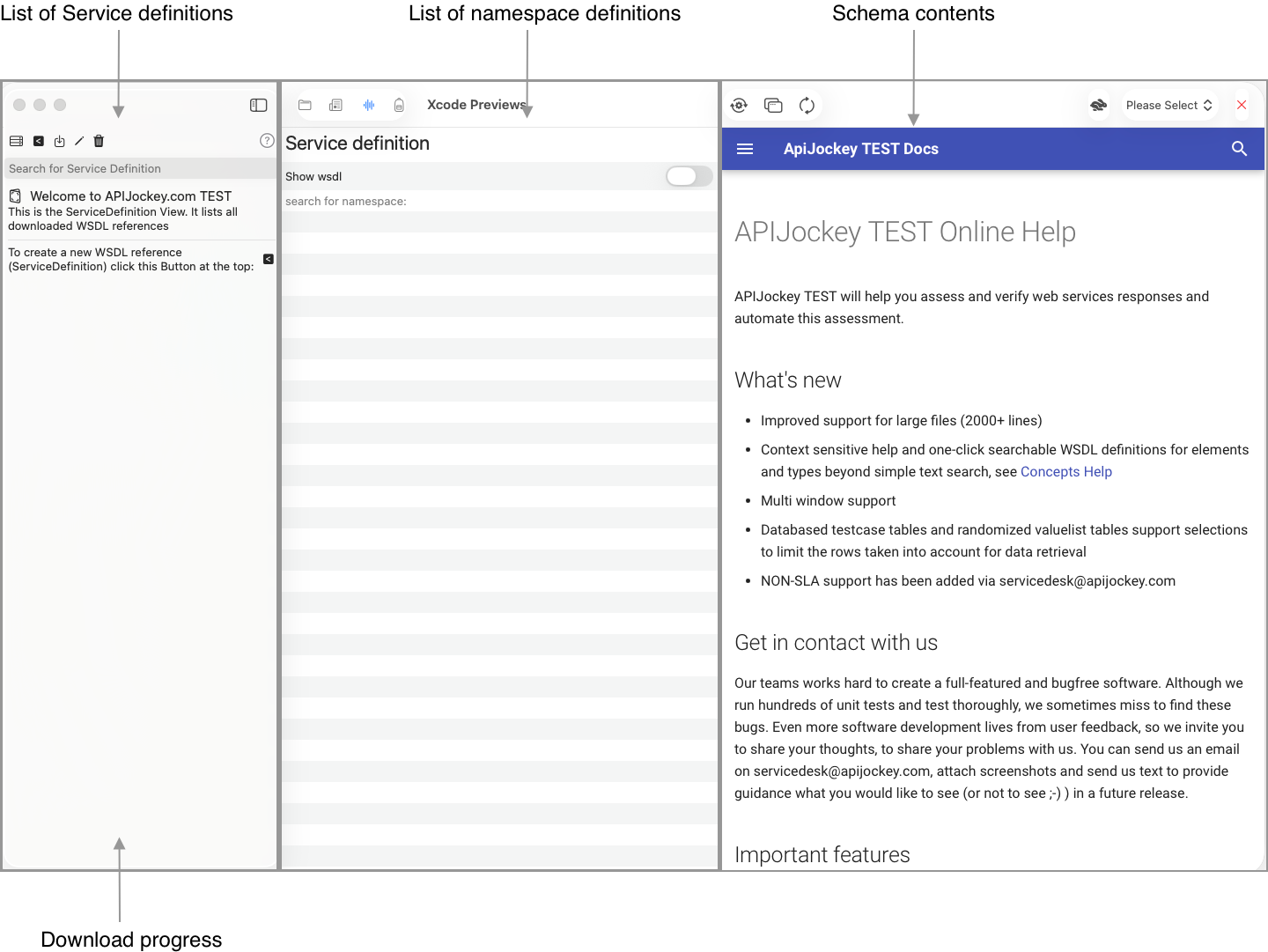
- List of service definitions, both SOAP and HTTP
- List of namespace definitions (schemas) for SOAP web services
- Schema contents the WSDL itself or individual schema files
When you download a WSDL, you will a download progress in the lower left navigation view area and an increasing number of schema files.
Run environment view
A run environment holds test environment specific information as Urls, authentication information or environment specific variables (in addition to variables on the test definition elements)
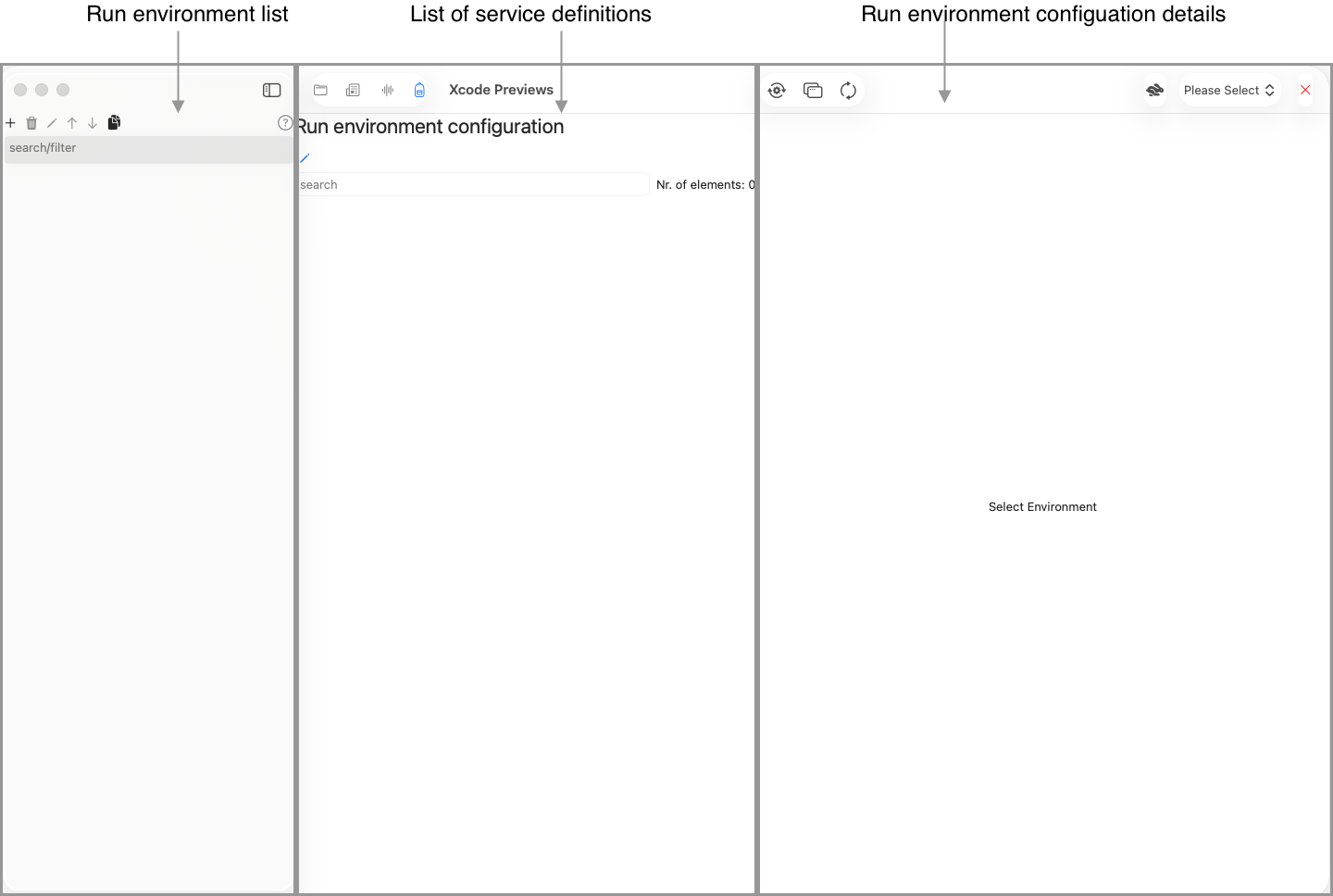
- Run environment list contains your list of environments for your projects or customers that you need to test on.
- List of service definitions holds all your service definitions from Service definition view
- Run environment configuration details lets you edit the configuration details for a combination of a run environment and a service definition